

Ford F-150 Key Fob Battery Replacement: The Complete Guide to Keeping Your Truck Ready to Go

Contents in this publication
- Why Your Ford F-150 Key Fob Battery Matters
- Signs Your Ford F-150 Key Fob Battery Needs Replacement
- Understanding Ford F-150 Key Fob Battery Types
- How Long Does a Ford F-150 Key Fob Battery Last?
- Tools You'll Need for Battery Replacement
- Preparing for the Battery Replacement Process
- Step-by-Step Ford F-150 Key Fob Battery Replacement
- Testing the New Battery
- Common Mistakes During Battery Replacement
- What If the Key Fob Still Doesn't Work?
- Do You Need to Reprogram the Key Fob After Battery Replacement?
- Ford F-150 Key Fob Variations by Model Year
- Can You Drive a Ford F-150 With a Dead Key Fob Battery?
- Choosing the Best Replacement Battery
- Tips for Extending Key Fob Battery Life
- When Should You Replace Both Key Fobs?
- Dealer Replacement vs DIY Replacement
- The Cost of Ford F-150 Key Fob Battery Replacement
- Why Every F-150 Owner Should Learn This Skill
- Conclusion
-
Frequently Asked Questions
- 1. What battery does a Ford F-150 key fob use?
- 2. How often should I replace my Ford F-150 key fob battery?
- 3. Do I need to reprogram my Ford F-150 key fob after replacing the battery?
- 4. Can I start my F-150 if the key fob battery is dead?
- 5. Why is my key fob not working after replacing the battery?
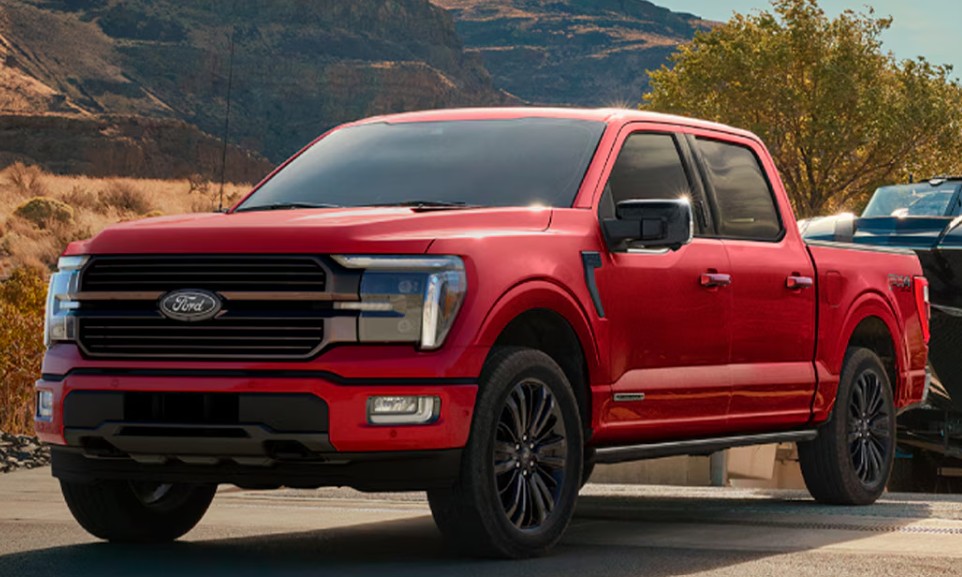
The Ford F-150 is more than just a pickup truck. For many of us, it's a trusted workhorse, a weekend adventure companion, and a dependable partner for everyday life. Yet even the toughest truck can be temporarily sidelined by something surprisingly small—a dead key fob battery.
Imagine walking up to your F-150 after a long day, pressing the unlock button, and getting nothing but silence. No flashing lights. No welcoming click of the locks. Just frustration.
Fortunately, replacing a Ford F-150 key fob battery is one of the easiest maintenance tasks you can perform yourself. It takes only a few minutes, requires minimal tools, and can save you a trip to the dealership.
In this comprehensive guide, we'll walk through everything you need to know about Ford F-150 key fob battery replacement, from identifying the correct battery type to troubleshooting common issues after installation.
Why Your Ford F-150 Key Fob Battery Matters
Your key fob is the bridge between you and your truck. Without sufficient battery power, several convenient features can stop working.
These features often include:
- Remote lock and unlock
- Remote start
- Tailgate release
- Panic alarm
- Proximity sensing
- Push-button start functions
Think of the battery as the heartbeat of the key fob. Once it weakens, communication between the fob and the truck becomes unreliable.
Signs Your Ford F-150 Key Fob Battery Needs Replacement
Before the battery completely dies, your key fob usually sends warning signs.
Reduced Operating Range
One of the earliest symptoms is needing to stand closer to the truck before commands work.
If you once unlocked your F-150 from across a parking lot but now need to be just a few feet away, the battery may be fading.
Intermittent Functionality
Sometimes the key fob works perfectly. Other times, it ignores every button press.
This inconsistency often points directly to a weakening battery.
Dashboard Warning Message
Many newer Ford F-150 models display a warning such as:
"Key Fob Battery Low"
When this message appears, battery replacement should be performed soon.
Remote Start Stops Working
Remote start generally requires stronger signal transmission than basic lock and unlock functions.
If remote start becomes unreliable, the battery may be nearing the end of its life.
Understanding Ford F-150 Key Fob Battery Types
Different Ford F-150 model years may use slightly different batteries.
The most common battery found in Ford key fobs is:
CR2450 Battery
Many modern F-150 key fobs use a CR2450 lithium coin battery.
Characteristics include:
- 3-volt lithium battery
- Long shelf life
- Widely available
- Affordable replacement cost
CR2032 Battery
Some older Ford key fobs use a CR2032 battery instead.
Always verify the battery type before purchasing a replacement.
How Long Does a Ford F-150 Key Fob Battery Last?
Most Ford F-150 key fob batteries last:
- 2 to 4 years under normal use
- Less if remote start is used frequently
- Longer if the spare key fob is rarely used
Battery lifespan depends on:
- Climate conditions
- Usage frequency
- Storage habits
- Battery quality
Extreme temperatures can shorten battery life considerably.
Tools You'll Need for Battery Replacement
The beauty of replacing a key fob battery is its simplicity.
Typically, you'll need:
- Replacement battery
- Small flathead screwdriver
- Plastic trim tool (optional)
- Clean cloth
That's it.
No specialized equipment. No mechanical expertise. No expensive dealership appointment.
Preparing for the Battery Replacement Process
Before opening the key fob, take a few precautions.
Work on a Clean Surface
Small components can be surprisingly easy to lose.
Choose a clean, well-lit workspace.
Wash Your Hands
Oil and dirt from your fingers can affect battery contacts.
Clean hands help ensure a reliable installation.
Verify Battery Orientation
Take note of how the existing battery is positioned before removal.
A quick smartphone photo can be incredibly helpful.
Step-by-Step Ford F-150 Key Fob Battery Replacement
Let's walk through the process.
Step 1: Remove the Mechanical Key
Most Ford F-150 key fobs contain a hidden emergency key.
Locate the release button and slide the key out.
This reveals access points for opening the fob.
Step 2: Open the Key Fob Housing
Insert a flathead screwdriver or plastic trim tool into the seam.
Gently twist to separate the two halves.
Avoid using excessive force.
The housing should open with minimal pressure.
Step 3: Locate the Battery
Once opened, you'll see the coin-cell battery seated inside the compartment.
Take a moment to observe:
- Battery type
- Positive side orientation
- Contact placement
Step 4: Remove the Old Battery
Carefully lift the battery from its holder.
Use a plastic tool whenever possible to avoid damaging contacts.
Step 5: Install the New Battery
Insert the replacement battery in the same orientation.
Ensure it sits securely in the compartment.
The positive (+) side typically faces upward.
Step 6: Reassemble the Key Fob
Align both halves of the housing.
Press them together until they snap securely into place.
Step 7: Reinsert the Mechanical Key
Slide the emergency key back into position.
Your key fob is now ready for testing.
Testing the New Battery
Never assume the installation was successful without testing.
Check:
- Lock button
- Unlock button
- Panic button
- Remote start
- Tailgate release
Stand several yards away from the truck to verify signal strength.
If everything works normally, the replacement was successful.
Common Mistakes During Battery Replacement
Even a simple task can go wrong.
Let's avoid the most common errors.
Installing the Battery Backwards
This is the number one mistake.
Always confirm positive and negative orientation.
Using the Wrong Battery Type
CR2032 and CR2450 batteries may look similar, but they are not interchangeable in every key fob.
Use the exact specification required.
Damaging Internal Contacts
Forcing tools inside the housing can bend delicate battery terminals.
Handle components carefully.
Touching Battery Surfaces Excessively
Finger oils can reduce contact efficiency.
Hold batteries by the edges whenever possible.
What If the Key Fob Still Doesn't Work?
Sometimes replacing the battery doesn't immediately solve the problem.
Check Battery Orientation Again
The battery may simply be installed upside down.
Open the fob and verify positioning.
Inspect Battery Contacts
Bent or corroded contacts can interrupt power flow.
Look for damage or contamination.
Verify Battery Quality
Cheap batteries occasionally arrive partially discharged.
Try another new battery from a reputable brand.
Check the Key Fob Housing
A housing that doesn't fully close can cause poor battery contact.
Ensure all clips are properly engaged.
Do You Need to Reprogram the Key Fob After Battery Replacement?
In most cases, no.
Ford key fobs typically retain programming information during battery replacement.
Once the new battery is installed, the fob should function immediately.
However, if communication issues occur, consult your owner's manual for synchronization procedures specific to your model year.
Ford F-150 Key Fob Variations by Model Year
Not all F-150 key fobs are identical.
Older Traditional Key Fobs
These often feature:
- Separate ignition key
- Basic remote functions
- Simpler battery compartments
Intelligent Access Key Fobs
Modern F-150 models often include:
- Push-button start
- Proximity unlocking
- Advanced security features
While the appearance differs, battery replacement remains straightforward.
Can You Drive a Ford F-150 With a Dead Key Fob Battery?
Yes.
Ford designed backup systems for this exact situation.
Using the Mechanical Key
The hidden emergency key allows manual entry.
Backup Start Procedures
Many push-button-start F-150 models have a designated backup location where the key fob can be placed to start the vehicle even with a dead battery.
Consult your owner's manual for the exact location.
Choosing the Best Replacement Battery
Not all batteries are created equal.
Consider trusted brands such as:
- Duracell
- Energizer
- Panasonic
- Sony
- Maxell
Premium batteries generally offer:
- Longer lifespan
- More consistent voltage
- Better cold-weather performance
The extra cost is usually minimal.
Tips for Extending Key Fob Battery Life
A few simple habits can maximize battery longevity.
Repeated unnecessary use drains power faster.
Keep the Fob Dry
Moisture can damage internal electronics.
Store Spare Fobs Properly
Avoid extreme heat or freezing temperatures.
Replace Batteries Proactively
Waiting until complete failure can be inconvenient.
Many owners replace batteries every three years as preventive maintenance.
When Should You Replace Both Key Fobs?
If you own two programmed key fobs and one battery fails, the other likely isn't far behind.
Replacing both batteries simultaneously offers several benefits:
- Consistent performance
- Fewer surprises
- Simplified maintenance schedule
Think of it like replacing batteries in a smoke detector. Preventive action beats emergency troubleshooting.
Dealer Replacement vs DIY Replacement
Many owners wonder whether dealership service is necessary.
DIY Advantages
- Lower cost
- Faster process
- Immediate results
- No appointment needed
Dealer Advantages
- Professional inspection
- Genuine components
- Additional diagnostics
For most owners, DIY replacement is entirely sufficient.
The Cost of Ford F-150 Key Fob Battery Replacement
The good news? This is one of the cheapest maintenance tasks you can perform.
Typical costs include:
| Item | Estimated Cost |
|---|---|
| CR2450 Battery | $2–$8 |
| Premium Battery Pack | $5–$15 |
| Dealer Service | $20–$60 |
By replacing the battery yourself, you can often complete the entire job for less than the cost of a cup of coffee.
Why Every F-150 Owner Should Learn This Skill
Modern vehicles can feel increasingly complex.
Yet key fob battery replacement remains refreshingly simple.
It's one of those small maintenance tasks that builds confidence. Instead of scheduling service or worrying about being locked out, you'll know exactly what to do when the warning appears.
In many ways, replacing a Ford F-150 key fob battery is like changing the batteries in a flashlight before a camping trip. It takes only minutes, but it prevents frustration when reliability matters most.
Conclusion
A dead key fob battery can feel like an unexpected roadblock, but replacing it is one of the easiest maintenance tasks any Ford F-150 owner can handle. Whether your truck uses a CR2450 or CR2032 battery, the process generally takes less than ten minutes and requires only basic tools.
By recognizing early warning signs, using quality replacement batteries, and following proper installation steps, you can keep your F-150's remote features operating smoothly for years to come. The next time your key fob starts acting sluggish, you'll be prepared to restore full functionality quickly, confidently, and without an expensive trip to the dealership.
Frequently Asked Questions
1. What battery does a Ford F-150 key fob use?
Most modern Ford F-150 key fobs use a CR2450 lithium coin battery, though some model years may use a CR2032. Always verify the battery type inside your specific key fob.
2. How often should I replace my Ford F-150 key fob battery?
Most batteries last between 2 and 4 years depending on usage, climate, and battery quality.
3. Do I need to reprogram my Ford F-150 key fob after replacing the battery?
No. In most cases, replacing the battery does not affect the key fob's programming.
4. Can I start my F-150 if the key fob battery is dead?
Yes. Most Ford F-150 models include backup starting procedures and a hidden mechanical key for emergency access.
5. Why is my key fob not working after replacing the battery?
Common causes include incorrect battery orientation, poor battery contact, damaged terminals, or a defective replacement battery.
If you want to see other articles similar to Ford F-150 Key Fob Battery Replacement: The Complete Guide to Keeping Your Truck Ready to Go you can visit the Tips category.
Toyota Camry Distance to Empty Reset: Complete Guide
Toyota Camry Eco Mode Turn Off: Complete Driver’s Guide
Toyota Camry Anti Theft System Reset: Complete Guide
Toyota Camry Cabin Air Filter Replacement: A Fresh-Air Guide for Everyday Drivers
Toyota Camry Key Fob Battery Replacement: The Simple DIY Guide Every Driver Should Know
Toyota Camry Dashboard Symbols and Meanings: The Complete Driver-Friendly Guide
Leave a Reply
Related Topics